2026 Autumn Software Update goes live on November 17. Its key features arrive over the air through the Avinox Ride app. Not every model receives every feature, so the table below lists which features each Amflow gets: PL, PX, PR, TL and the new UE.
Table of Contents
— What's New This Quarter at a Glance
— Automatic Shifting: Gears That Adjust to the Terrain
— Auto Boost: Boost Engages Automatically on Steep Climbs
— Apple Watch Integration: Your Wrist Joins the Ride
— Ride Record Merging: Join Your Rides Into One Journey
— Multi-Bike Management: All Your Bikes Under One Account
— Component Lock: Lock a Missing Part From the App
— Built to Keep Getting Better
What's New This Quarter at a Glance
Here are the key updates arriving this season. The table shows what each one does and which Amflow models receive it.
| Feature | Available On | What It Does |
|---|---|---|
| Automatic Shifting | Amflow TL, UE | Shifts gears automatically on the electronic drivetrain to hold your target cadence, with an automatic drop to your preset starting gear when you stop |
| Auto Boost | Amflow PX, PR, TL, UE | Switches Boost on for you on steep, demanding climbs, with no button press |
| Apple Watch Connectivity | Amflow UE | Turns your Apple Watch into a second display for ride data and a proximity unlock key, syncs rides to Apple Health, and supports heart-rate control from the watch |
| Ride Record Merging | Amflow PL, PX, PR, TL, UE | Joins consecutive rides into one continuous ride, and splits a merged route apart again |
| Multi-Bike Management | Amflow PL, PX, PR, TL, UE | Scan, connect and manage every bike you own under a single Avinox Ride account, with no limit on the number |
| Component Lock | Amflow PL, PX, PR, TL, UE | Binds Avinox accessories to your rider account. Use Mark Device as Lost in the app if a part goes missing |
Automatic Shifting: Gears That Adjust to the Terrain
Automatic Shifting changes gears for you based on your riding conditions. Turn it on, and the bike shifts to hold your cadence as the ground changes. You can also adjust the target cadence, shifting sensitivity and pedaling feel. It is available on the Amflow TL and UE.
Automatic Shifting builds on SmoothShift, which is available on both TL and UE. With SmoothShift, the motor completes each shift for you and eases its assist to protect the chain. SmoothShift makes each shift gentle; Automatic Shifting decides when it happens.
Preset Starting Gear
Stop at a crossing, a gate or a red light, and the bike shifts into your preset starting gear on its own. For frequent stop-and-go riding in the city or on a trekking route, you never have to pull away in the wrong gear.
Shifting While Coasting
Automatic Shifting keeps working while you freewheel, not only under pedaling load. On a descent, or the roll up to a junction, the right gear is already selected when you start pedaling again.
Adjustable Shifting Feel
Shifting sensitivity is adjustable: early and often for a light, high-cadence spin, or holding each gear longer for a more deliberate, torquey feel. The motor eases its assist for the instant of each shift, so every change stays smooth and quiet.
Auto Boost: Boost Engages Automatically on Steep Climbs
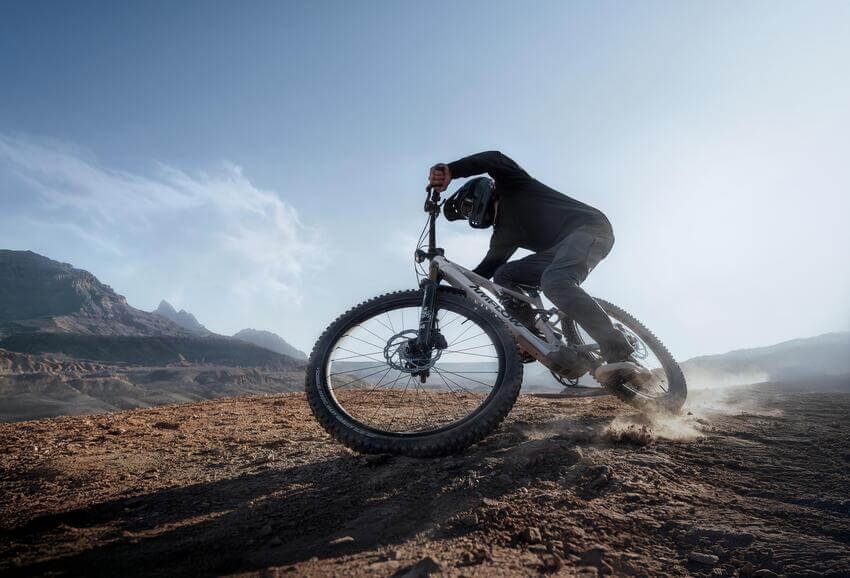
Auto Boost builds on Avinox Boost, an instant surge of torque for the hardest sections. On the Amflow PX, Boost delivers up to 150 N·m of torque with a compatible Avinox battery. The catch has always been timing: by the time your thumb finds the button, the best moment to use it has often passed.
Switch Auto Boost on, and the bike makes the call.
Auto Boost works alongside Auto mode, which adapts assist to the terrain and your riding posture. Auto handles everyday changes; Auto Boost covers the steepest sections. It is available across the Amflow range: PX, PR, TL and UE.
Apple Watch Integration: Your Wrist Joins the Ride
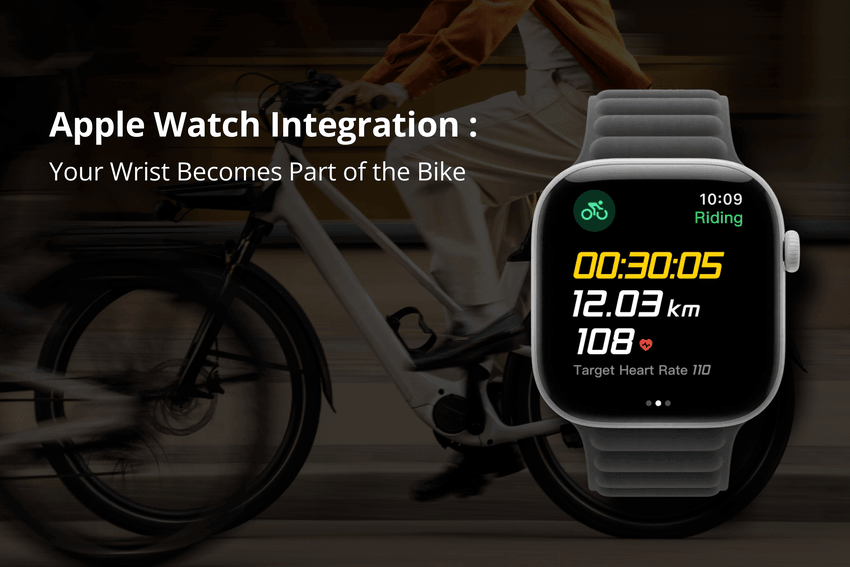
Previously, heart-rate-based assist on the Amflow series required riders to pair a heart-rate monitor. Now, they can use an Apple Watch instead on Amflow UE. The feature is available on models equipped with the Avinox DP200 Control Display.
A Second Display, Right on Your Wrist
Install the Avinox companion app on your Apple Watch, and you can check your core ride data (distance, time and heart rate) without pulling out your phone or glancing down at the display.
Walk Up, Ride Off
After setting a passcode on your bike’s display, enabling the Bluetooth key in the Avinox Ride app, and pairing your Apple Watch, simply wear your Watch and power on the bike to skip entering the passcode. No need to take out your phone, even with cold hands at the trailhead.
A Conversation Between Body and Bike
Your Watch's heart-rate sensor feeds live data to the bike, and the motor adjusts assist to keep you in your chosen zone. Afterwards, your ride data flows into Apple Health and counts toward your "Three Rings"goals just like a run or a gym session.
Ride Record Merging: Join Your Rides Into One Journey
A long day on the bike often ends up as several recordings: the morning climb, a lunch stop, the afternoon descent, each saved as its own track. Ride record merging joins consecutive rides into one continuous ride, ready to save and share as a complete journey. If you change your mind, a merged route can be split apart again. It is available on the Amflow PL, PX, PR, TL and UE.
Multi-Bike Management: All Your Bikes Under One Account
Scan, connect and manage every bike you own under a single Avinox Ride account, with no limit on the number. It suits riders with more than one Amflow, for example a PL for weekend trails and a UE for the commute. It is available on the Amflow PL, PX, PR, TL and UE.
Component Lock: Lock a Missing Part From the App
Modularity is part of the Amflow design: the TL and PR batteries can be removed for charging or swapped, while the PX and PR can use an additional external battery for longer rides. But Component Lock isn’t limited to batteries. Linked displays, motors, and other Avinox components can also be marked as lost in the app.
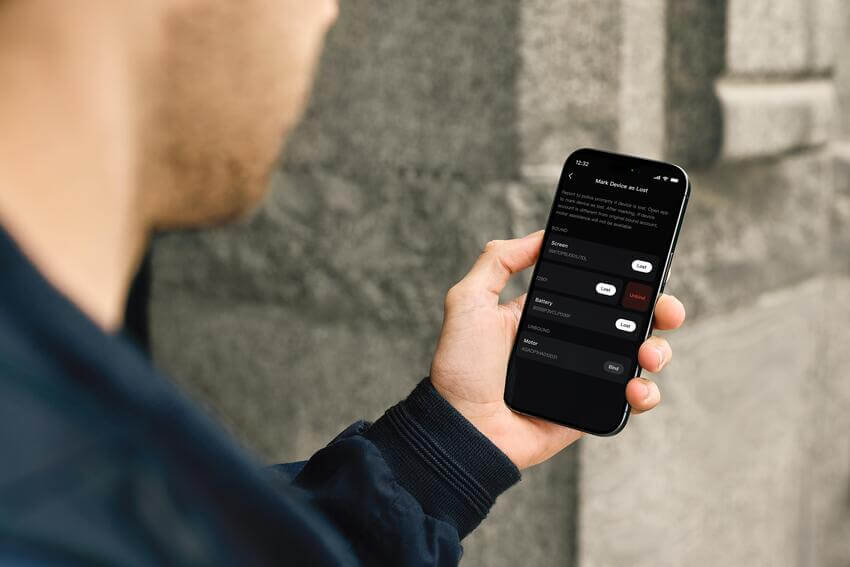
In the Avinox Ride app, you bind your Avinox accessories to your rider account. If one goes missing, you can choose to use Mark Device as Lost in the app. If a part marked as lost is later installed on a bike, it triggers a lock-out and the bike cuts off all motor assist. If you get the part back, mark it as retrieved in the app to unlock it.
The result: you stay in control. Component Lock is a user-initiated feature, and it only takes effect after you use Mark Device as Lost in the app. It does not track where a part is. Component Lock is available on the Amflow PL, PX, PR, TL and UE.
Built to Keep Getting Better
None of these features needed a new frame or a new motor. They arrive over the air, to bikes already out on the trail, through the Avinox system beneath every Amflow. So an Amflow bought in early 2026 can be meaningfully more capable by late 2026, on the same hardware and at no extra cost.
Find Your Amflow
Amflow UE
The UE is the new city e-bike in the Amflow range, available as the UE Carbon and the UE Carbon Pro. It weighs as little as 20.9 kg (UE Carbon, without racks, fenders, kickstand and other accessories). It gains all of these features: Component Lock, Automatic Shifting, Auto Boost, ride record merging, multi-bike management and, with its Avinox DP200 Control Display, Apple Watch Connectivity.
Amflow TL
A full-carbon frame, FOX full suspension, a removable battery, about 200 kg maximum total load and mounts for racks and a rear rack, at 22.6 kg complete. It gains the same four features as the PL, plus Automatic Shifting.
Amflow PX
The PX weighs about 20 kg complete, uses the quiet Avinox M2S drive unit, and offers up to 40 geometry combinations. It gains the same four features as the PL.
Amflow PR
The PR weighs about 22 kg complete and has a removable battery that can be charged separately or swapped. It gains the same four features as the PL.
Amflow PL
The PL weighs as little as 19.2 kg complete and delivers 105 N·m of torque from the Avinox M1 drive unit, with up to 800 Wh of battery capacity. It gains Component Lock, ride record merging and multi-bike management.
Frequently Asked Questions
How do I get the 2026 Autumn update on my Amflow?
The update comes through the Avinox Ride app. Make sure your bike is connected via Bluetooth and your app is updated to the latest version, then follow the in-app prompt to install the software and firmware update. No special tools required.
Which Amflow models get which features?
Auto Boost, ride record merging, multi-bike management and Component Lock are available on the Amflow PX, PR, TL and UE. Automatic Shifting is available on the Amflow TL and UE. Apple Watch integration is available on the Amflow UE, which is equipped with the Avinox DP200 display. For the full release notes, see: https://www.avinox-ebike.com/news/avinox-dp200-control-display
Do I need a specific Apple Watch model for the integration to work?
The feature requires watchOS 11 or later and supports the following Apple Watch models, subject to actual compatibility:
- Apple Watch Series: Series 7, Series 8, Series 9, Series 10, Series 11, and Series 12.
- Apple Watch Ultra: Ultra, Ultra 2, Ultra 3, and Ultra 4.
- Apple Watch SE models are not supported.
For use with this feature, iPhone 13 or a later-released model is recommended. The iPhone must run iOS 18 or later.
Can I turn Auto Boost off?
Yes. Auto Boost has its own switch. Leave it off and nothing changes; switch it on and the bike will call up Boost for you on steep climbs.
Can Component Lock help me find a missing part?
No. Component Lock doesn't track location, so it can't help you find or recover a part. If something goes missing, use Mark Device as Lost in the Avinox Ride app and report it to the local authorities as usual. If you get the part back, mark it as retrieved in the app to unlock it.
Will these features work on the Amflow I already own?
Yes, if your model is listed above. Because this ships as a software and firmware update rather than a hardware change, a supported Amflow receives each feature through the standard update process, delivered through the Avinox Ride app.
Is there a cost to access these new features?
No. This is a standard quarterly software and firmware update delivered free through the Avinox Ride app to all compatible Amflow bikes, consistent with the Avinox system's regular release cadence (previous quarterly releases included the 2025 Winter, 2026 Spring, and 2026 Summer updates).


